Time tracking record · art. 34.9 ET

Clocking in is easy. So is proving it.

Cronoria records your team's working hours from the web or their phones, seals every clock-in so that any change is detected when it is verified, and keeps the record for the four years the law requires.
Try free for 15 days
  • No card required
  • If you don't subscribe, you pay nothing
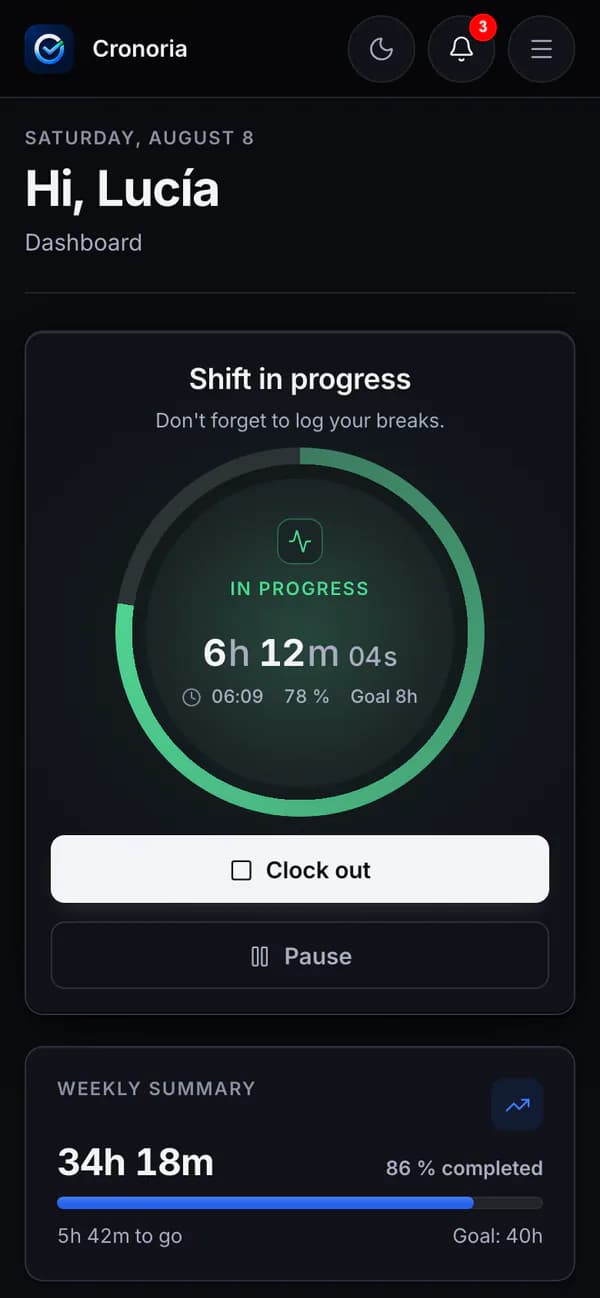
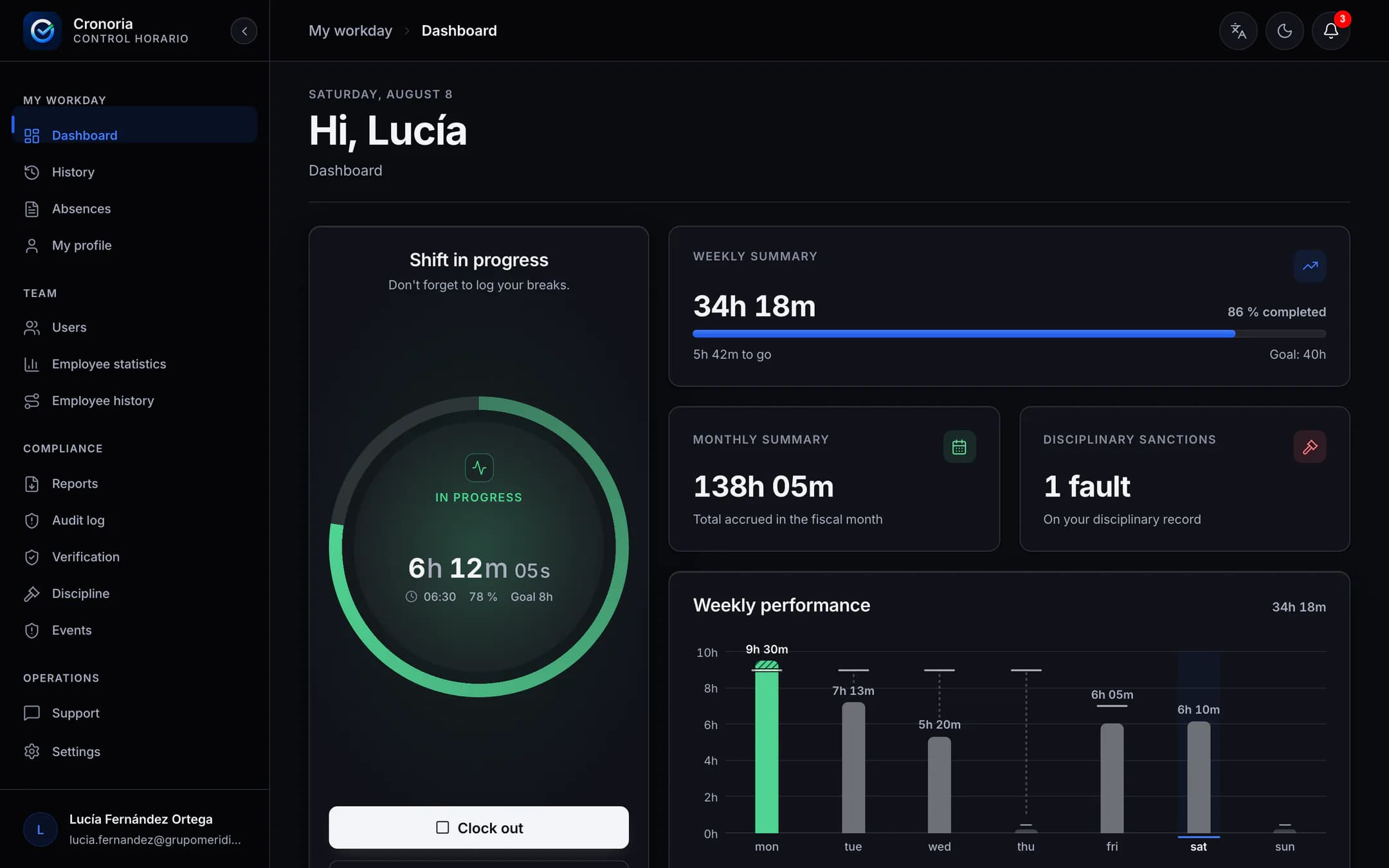
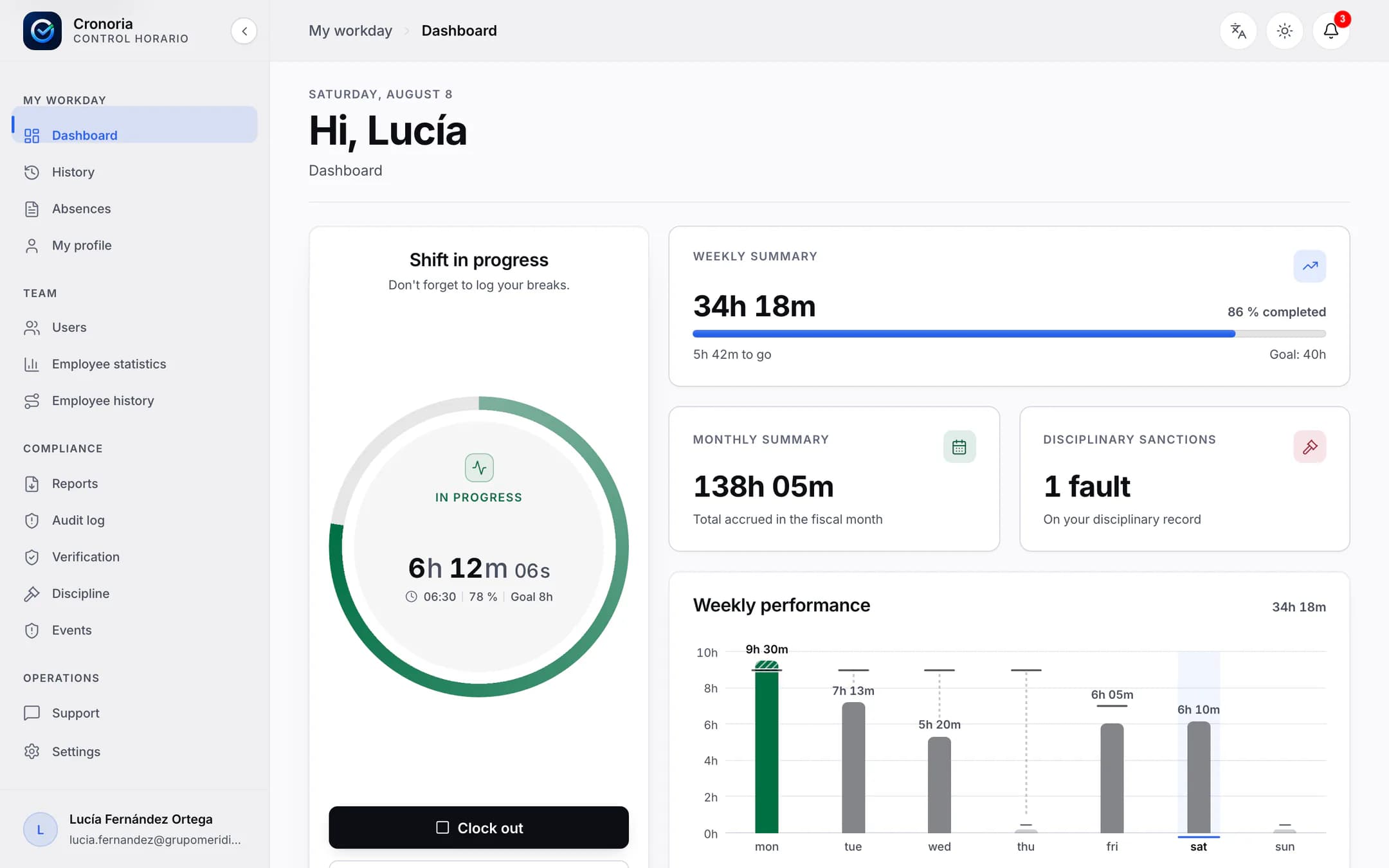
The Cronoria dashboard with the shift in progress, the weekly and monthly summaries and the chart for the week.The Cronoria dashboard with the shift in progress, the weekly and monthly summaries and the chart for the week.
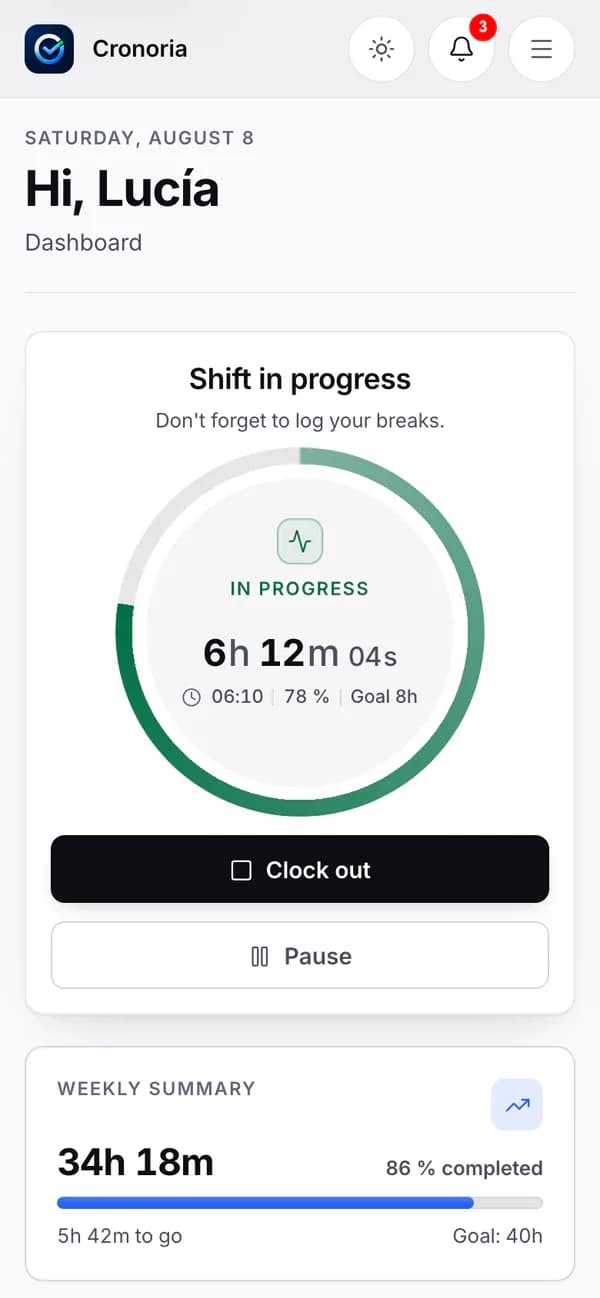
The same dashboard on a phone, with the buttons to clock out and pause.The same dashboard on a phone, with the buttons to clock out and pause.

Real screenshots of the Cronoria dashboard · sample names and hours

“Is clocking in going to be a hassle?”

Precision.

Clocking in takes one tap. The clock keeps track.
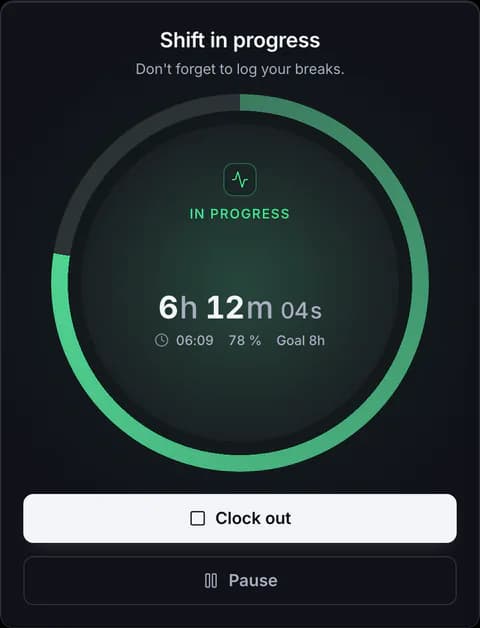
  • Clock-in, breaks and clock-out from the browser or from your phone.
  • Every break, paid or unpaid, in its own box: that's how it shows up in the report later.
  • With no signal, the iPhone or Android app saves the clock-in and sends it when the signal comes back.
  • Changing the time on the phone doesn't change the time of the clock-in, and only one open session is allowed per person.
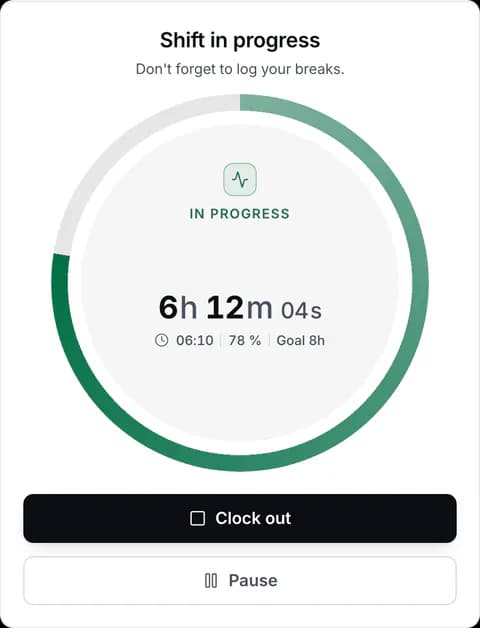
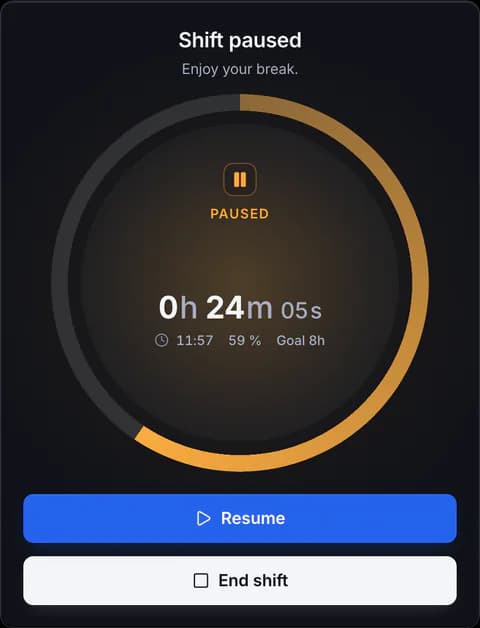
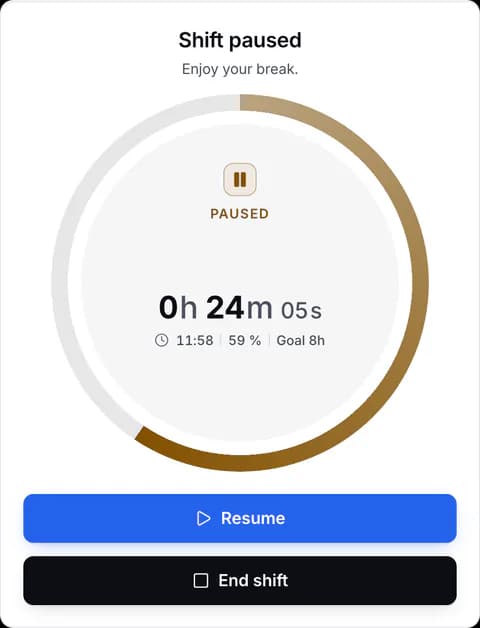
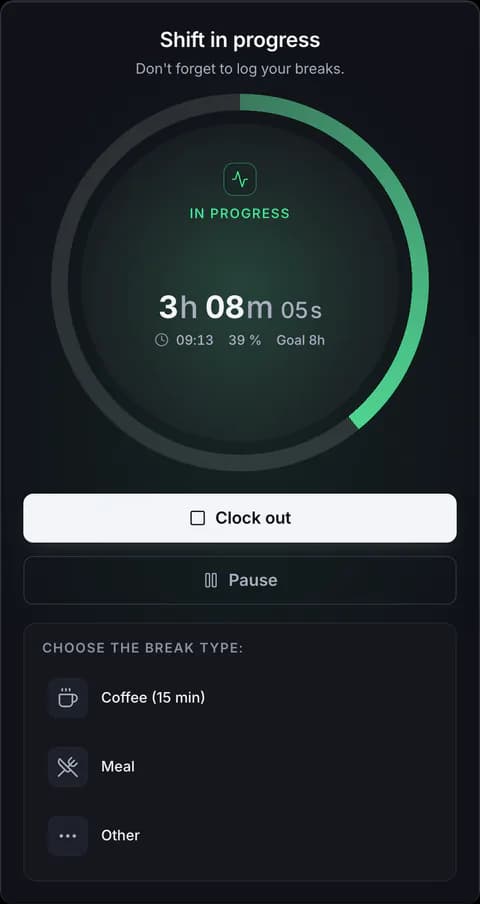
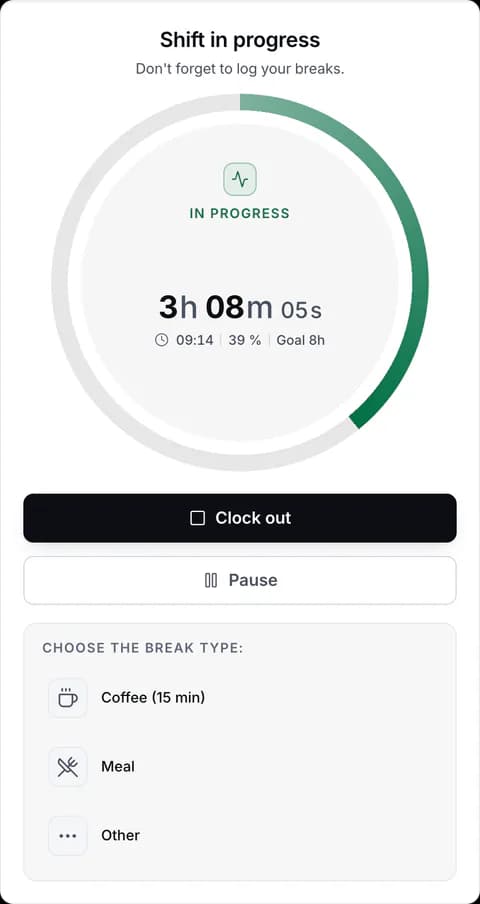
Clock-in card with the shift in progress.Clock-in card with the shift in progress.Clock-in card with the shift paused.Clock-in card with the shift paused.Choosing the break type: coffee, meal or other.Choosing the break type: coffee, meal or other.
The clock-in card: in progress, paused and choosing the break type.

“What if someone changes a time?”

Integrity.

Every clock-in, sealed. Touch it and it shows.
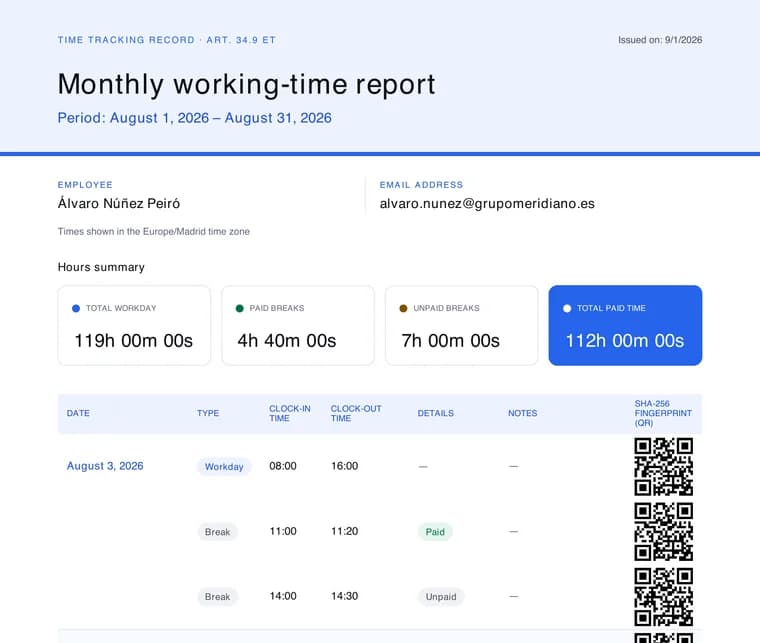
  • Every clock-in is stored with a fingerprint that gives away any change. SHA-256
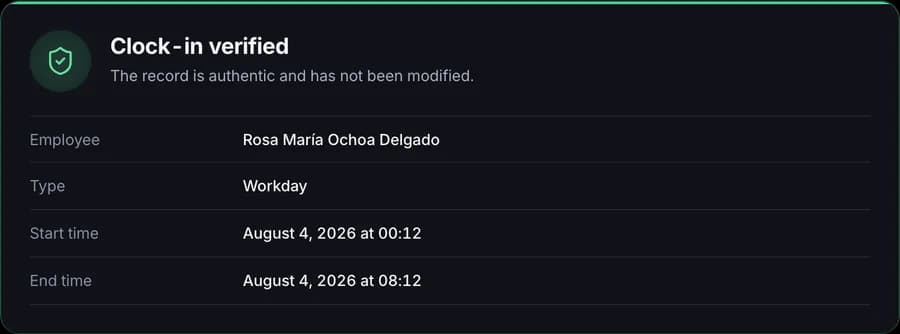
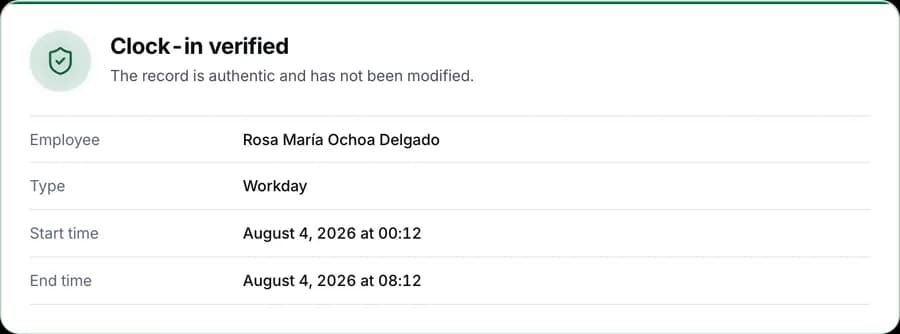
  • The monthly report has a QR code for each clock-in, which opens its verification.
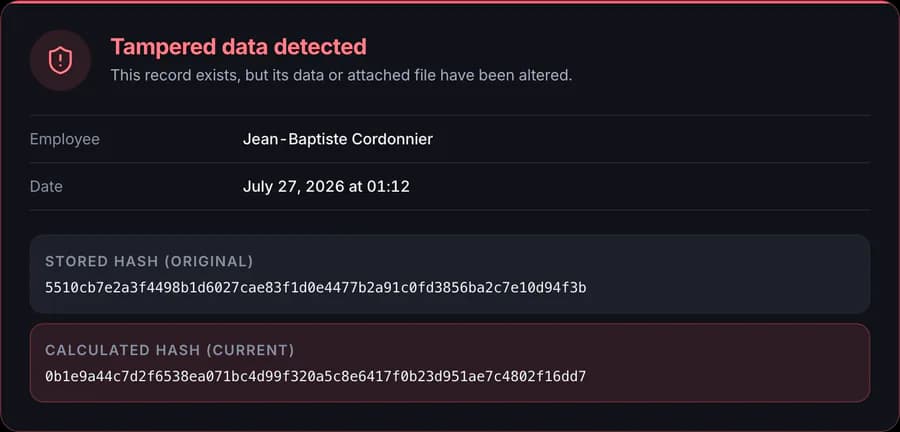
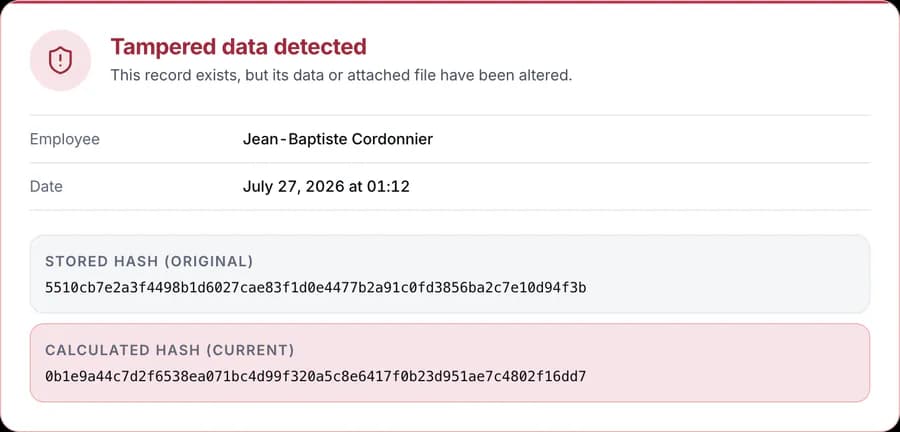
  • If data is altered, the verification flags it as tampered with and shows both fingerprints.
  • Corrections stay in the audit log: who, what and when. Also when Cronoria support accesses your account.
First page of a monthly working-time report in PDF, with a QR code on each clock-in.Verification of a clock-in: the record is authentic and has not been modified.Verification of a clock-in: the record is authentic and has not been modified.Verification of an altered clock-in: the stored fingerprint and the calculated one don't match.Verification of an altered clock-in: the stored fingerprint and the calculated one don't match.
A monthly PDF report and two verifications: an intact clock-in and an altered one.

“What if you're asked for the record of someone who has left?”

Custody.

Four years within your reach, even if the person leaves.
  • The time tracking record is kept for four years, as the Spanish Workers' Statute requires. art. 34.9 ET
  • If someone deletes their account, they lose access, but their record remains available to the company.
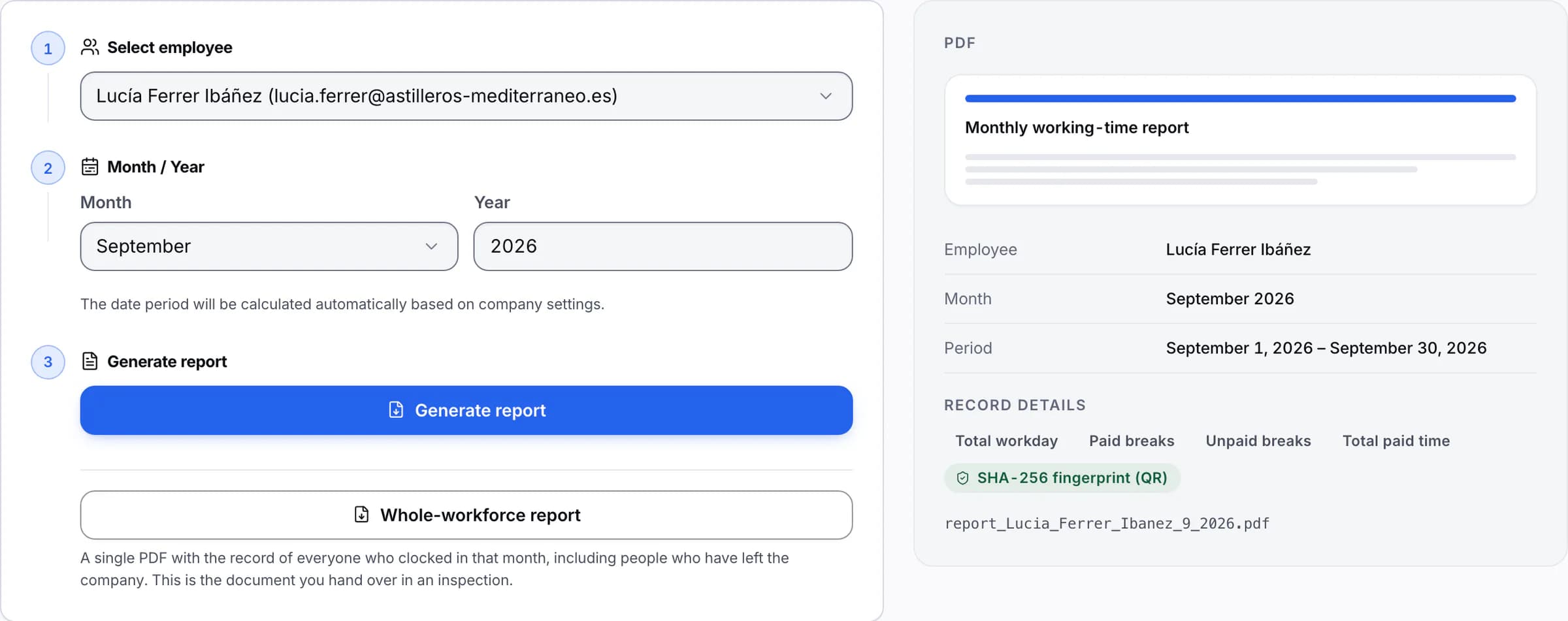
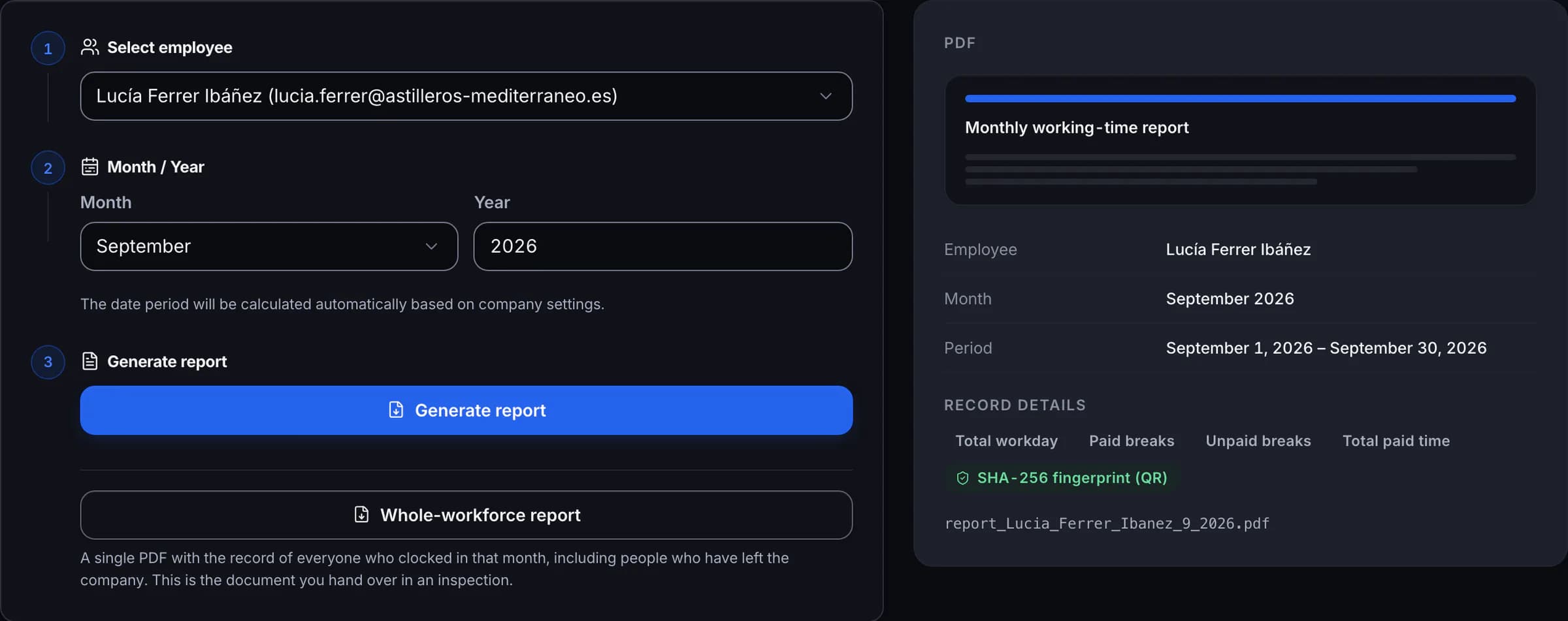
  • A single PDF with the whole workforce's record for the month, including people who have left.
  • The GPS trail and the supporting documents delete themselves once their period is up.
Monthly report generator, with the option to produce the whole-workforce report.Monthly report generator, with the option to produce the whole-workforce report.
Report generator: per person, or for the whole workforce in a single document.

“Will my team feel watched?”

Discretion.

GPS has a schedule. Alerts don't name names.
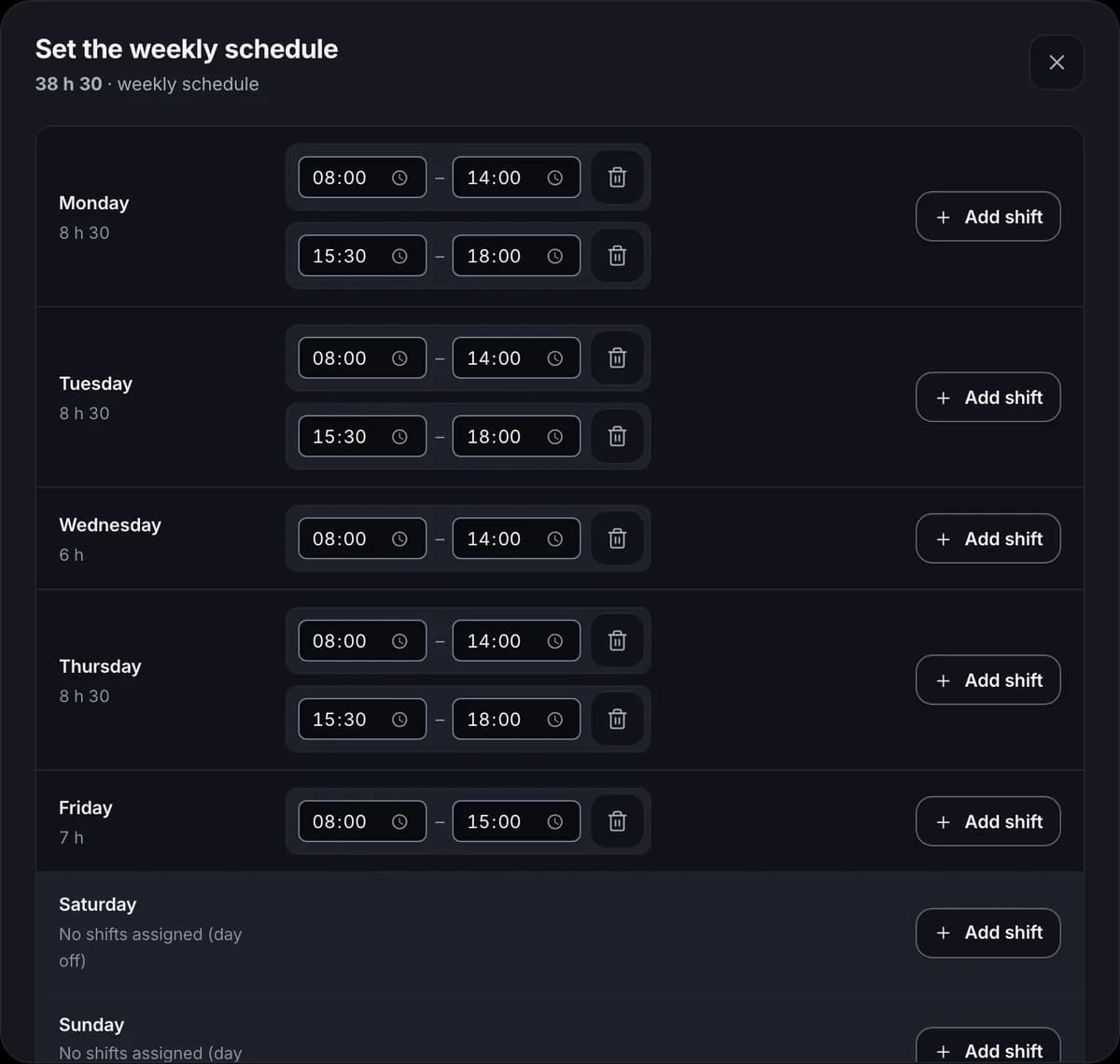
  • Location stops being stored when each person's schedule ends, with a 2-hour margin for overtime and never more than 12 hours after clock-in.
  • The location trail is kept for 60 days at most.
  • Alerts that reach phones carry no names or reasons.
  • Medical supporting documents are stored encrypted and deleted once their period is up. AES-256-GCM
  • Geolocation is optional: each company decides whether to use it and how.
Weekly schedule editor for one person, with their shifts from Monday to Friday.Weekly schedule editor for one person, with their shifts from Monday to Friday.
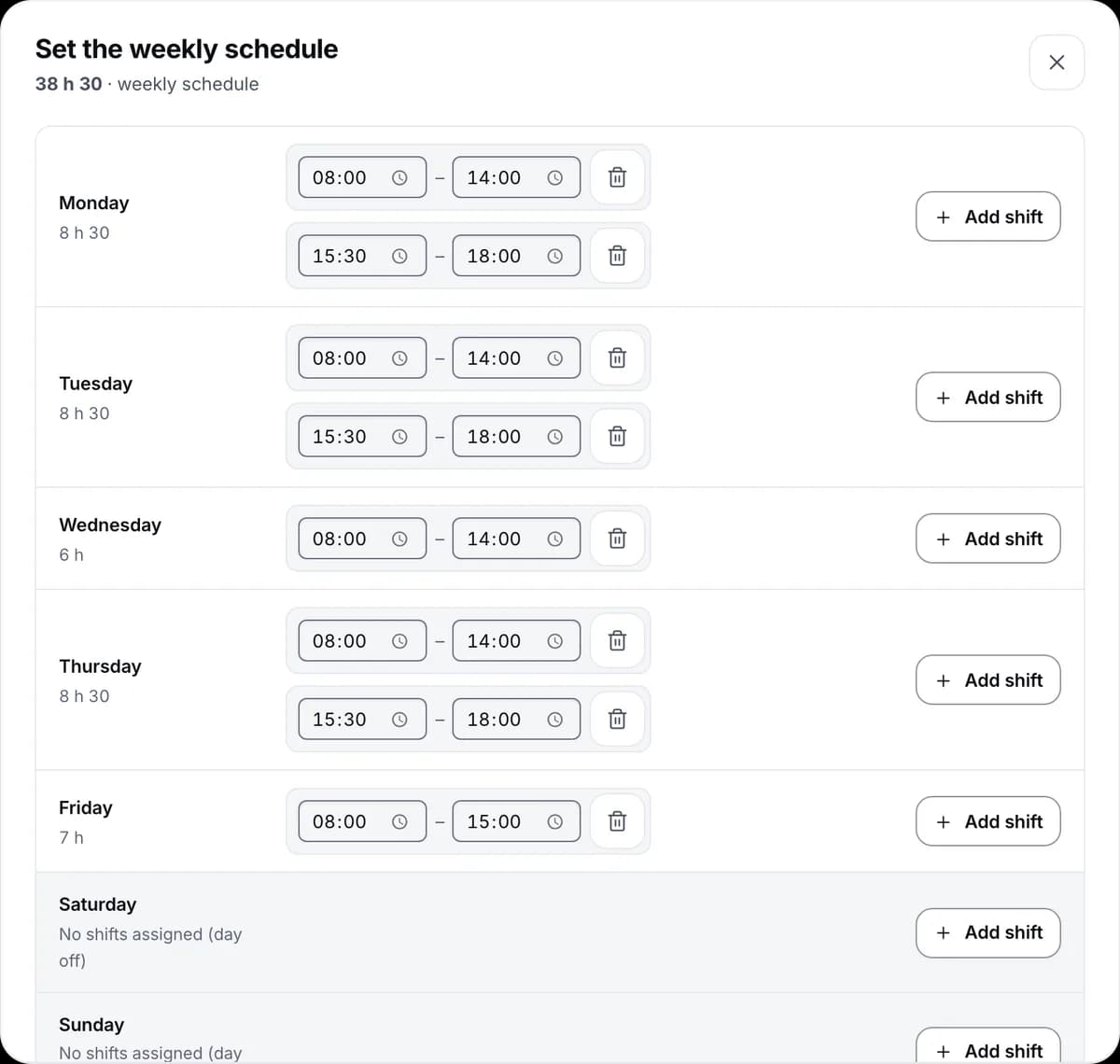
Each person's schedule marks when their location stops being stored.

“What if a sanction is called for?”

Safeguards.

With a procedure and a right of reply.

  • Incidents and sanctions with their severity, notification and status.
  • The person can appeal in writing.
  • The sanction, its notification and the appeal are kept together in the case file.
List of sanctions with their severity, status and appeals.List of sanctions with their severity, status and appeals.Staff appeals with their status: pending, more information needed and accepted.Staff appeals with their status: pending, more information needed and accepted.
Sanctions with their status, and staff appeals.

Who it's for

Shifts, sites or offices.

Time tracking changes a lot depending on where people clock in. Three ways to use Cronoria, depending on how your team works.

Hospitality · Retail

Shifts and schedules

Each person clocks in from their phone, with their weekly schedule. If someone forgets to clock out, the shift closes on its own and is marked as closed by the system.

Construction · Services

Teams on the move

Location when clocking in or out, or by workplace perimeter, and continuous tracking only if the company turns it on for deliveries.

Offices · Professional firms

Office and remote work

Absences and supporting documents in one place, and monthly reports with verification QR codes, ready for your accountant or for whoever asks for them.

Pricing

One price per person. Every feature.

A single price per employee per month. The longer the contract, the lower the price, and every company gets every feature.

1 year

€2.50

per employee / month

Get started

Included

  • Price locked for 1 year
  • No tiers: you pay per active employee
  • Monthly reports with verification QR codes
  • Absences and encrypted supporting documents
  • Point-in-time geolocation and perimeter
  • Native apps for iPhone and Android
  • White label: name, logo and colour

3 years

Save 10%

€2.25

per employee / month

Get started

Included

  • Price locked for 3 years
  • No tiers: you pay per active employee
  • Monthly reports with verification QR codes
  • Absences and encrypted supporting documents
  • Point-in-time geolocation and perimeter
  • Native apps for iPhone and Android
  • White label: name, logo and colour
Recommended

5 years

Save 15%

€2.13

per employee / month

Get started

Included

  • Price locked for 5 years
  • No tiers: you pay per active employee
  • Monthly reports with verification QR codes
  • Absences and encrypted supporting documents
  • Point-in-time geolocation and perimeter
  • Native apps for iPhone and Android
  • White label: name, logo and colour

Prices exclude tax: VAT, or whichever tax applies depending on the territory, is added to the invoice.

One-off setup fee of €30.00 for teams of up to 4. Charged once, never on renewals.

Frequently asked questions

Before you start.

Another question? Write to us at soporte@cronoria.com.

Can I use it to comply with the mandatory time tracking record?

That's what it's built for: it records when each person clocks in, takes breaks and clocks out, seals every clock-in and keeps the record for the four years that art. 34.9 of the Spanish Workers' Statute requires.

Do I need to install anything?

No. The dashboard runs in the browser. Your team can clock in from the web or from the iPhone and Android apps, which save the clock-in even when there's no signal.

Is geolocation mandatory?

No. Each company decides whether to turn it on and in which mode: only when clocking in or out, by workplace perimeter or with continuous tracking for deliveries. Staff have to be informed beforehand, and location stops being stored no later than 2 hours after their scheduled hours end, never more than 12 hours after clock-in.

What happens to the data when someone leaves the company?

Their time tracking record is kept for the four years the law requires and remains available to the company, even if that person deletes their account. The GPS trail and the supporting documents are deleted once their period is up.

Can I try it before paying?

Yes: 15 days, no card required. When it ends, you subscribe to a plan or let your access expire at no cost.

15 days to put it to the test.

No card required. If you're not convinced, you let your access expire and pay nothing.

Try free for 15 days

Would you rather talk it through first? Write to us at soporte@cronoria.com.